Color by Number Game Online Free: Pixel Paint
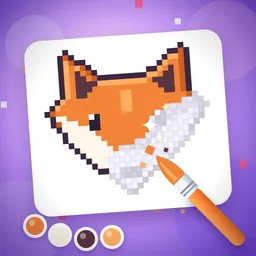
Pixel Paint: Color by Number transforms empty digital grids into detailed pixel artwork one square at a time. Designed as a relaxing, stress-free canvas, it lets you fill numbered tiles at your own pace without timers or countdowns. You can play directly in your web browser for free on desktop or mobile devices without installing software or registering an account.
Whether you enjoy gentle creative pastimes or want a quiet visual exercise to unwind after work, this guide details everything you need. You will discover how the grid controls work, how to use helpful booster shortcuts, how to complete the gallery, and how to avoid standard beginner missteps.
What Pixel Paint: Color by Number Is
Pixel Paint: Color by Number is a single-player digital coloring game built on a clear numbered grid. Each illustration is divided into small individual cells, with each cell bearing a specific number that matches a shade in the lower palette bar. Rather than requiring freehand drawing skills, the game invites you to match every numbered block with its designated tone until the complete illustration appears.
The game features over 200 original pixel designs across themed packs, including cute animals, sweets, smileys, nature scenes, vehicles, fantasy treasures, holidays, and famous world landmarks from Istanbul to Paris. Your objective is simple: fill every numbered cell correctly to complete the artwork and unlock an animated timelapse of your painting.
How to Play Step by Step
Starting a canvas takes only a moment. Follow these steps to begin and complete your chosen project:
- Open the Daily picture or select any illustration from the themed packs.
- Pick a color in the palette at the bottom: every cell with that number turns a little darker on the canvas.
- Pinch on a touchscreen or scroll your mouse wheel on desktop to zoom in until the numbers appear.
- Tap a numbered cell to paint it, or drag across the cells to paint a whole row at once.
- Move your view across the canvas by dragging other cells or using right-drag on desktop.
- Cycle through palette colors until no numbered cells remain unpainted.
- Finish every color to complete the picture and watch the timelapse of your painting.
Objectives and Completion Rewards
A canvas is complete once every single cell displays its correct hue. Unlike deduction challenges such as Nono Pix or number placement in Sudoku, there is no failure state, countdown timer, or score penalty for an accidental click. The focus rests entirely on relaxed, steady completion.
Finishing a picture adds it to your personal in-game Gallery, where you can inspect your collection, rewatch the painting timelapse, paint the scene again, or download a sharp PNG copy directly to your device. Completing any standard pack image grants one Fill bucket, while finishing the Daily picture awards a Magic wand and builds your daily streak. Each new day, your stock is also topped up to at least three Fill buckets and two Magic wands.
Strategy and Helpful Painting Techniques
While the mechanics are straightforward, a few practical habits help you paint larger canvases smoothly:
- Start with the color that has the highest number of cells, as one long drag can fill an entire stripe quickly.
- Drag across rows and columns instead of tapping individual squares one by one.
- Press the magnifier button whenever you lose track of a stray cell; it jumps straight to the next missing square.
- Keep your Fill bucket for expansive areas like skies, seas, or broad backgrounds.
- Use the Magic wand to complete a color in one go, especially when remaining cells are scattered across the board.
- Do not worry about misplaced taps; an incorrect tap leaves only a pale tint with a red number, which you can paint over with the right color.
- Paint the Daily picture every day to expand your streak and earn an extra Magic wand.
Common Mistakes to Avoid
A few common missteps can slow down your progress, but they are easy to avoid with the right approach:
- Trying to paint while zoomed out too far, which makes it harder to hit the correct cells accurately.
- Tapping every cell individually rather than dragging smoothly across connected blocks.
- Using boosters on tiny clusters that can easily be filled by hand with a quick drag.
- Searching manually across large boards for a single missing pixel instead of using the magnifier button.
- Abandoning a picture after an incorrect tap, unaware that you can simply paint over the pale tint with the correct color.
Rule Variations and Pack Categories
Digital coloring games range from timed challenges to complex logic puzzles. While brain teasers like Color Pour require careful sequencing where a misstep can stall your game, Pixel Paint keeps rules entirely relaxed. You face no move limits, failure states, or time pressures.
Variety comes from canvas dimensions and subject matter across more than 200 pictures. You can choose quick, charming designs like smileys and sweets, or take on detailed projects featuring vehicles, fantasy treasures, nature scenes, and world landmarks from Istanbul to Paris. A fresh Daily picture arrives each day to keep your painting routine varied.
Playing Pixel Paint on Popyca
Popyca provides instant access to Pixel Paint: Color by Number directly in your web browser. The game is free, requires no account registration, and runs without downloads on desktop computers, tablets, and smartphones.
Desktop players can take advantage of practical keyboard shortcuts: use the plus and minus keys or the mouse wheel to zoom, drag with the right mouse button to move the canvas, and switch colors quickly using the arrow keys. On mobile screens, responsive pinch and drag gestures make navigation effortless. Much like piecing together art in Jigsaw Haven, your progress and completed gallery pictures remain stored in your browser so you can return anytime.
Frequently asked questions
How do I play this color by number game online free?
Open the game in your browser, choose a picture from a pack or launch the Daily picture, and pick a color from the bottom palette. Zoom in until numbers appear in the grid cells, then tap or drag across the matching squares to fill them.
What happens if I click a cell with the wrong color selected?
The game does not penalize you. An incorrect tap leaves only a pale tint with a visible red number, allowing you to select the correct color and paint straight over it.
How do I get more fill buckets and magic wands?
Every finished picture gives you one Fill bucket, and every Daily picture awards a Magic wand. In addition, each new day your stock automatically tops up to at least three Fill buckets and two Magic wands.
Can I play this pixel art coloring game on my phone browser?
Yes. The game runs smoothly on modern mobile browsers without downloads. You can pinch to zoom, drag across cells to paint, and drag elsewhere on the canvas to move the picture.
How can I locate the last remaining cell of a color?
If you cannot spot the last cell for a color, press the magnifier button. The view will immediately center on the next missing square so you can fill it without searching manually.
Can I keep the pictures I painted?
Yes. Finished pictures are saved in your in-game Gallery, where you can replay your painting timelapse, color the image again, or press Download PNG to save a sharp copy to your device.